I am on the electronic testing step of my cuckoo clock, the bird does not come out and there is no sound. I have tried the single touch button and the hourly chime and nothing works.
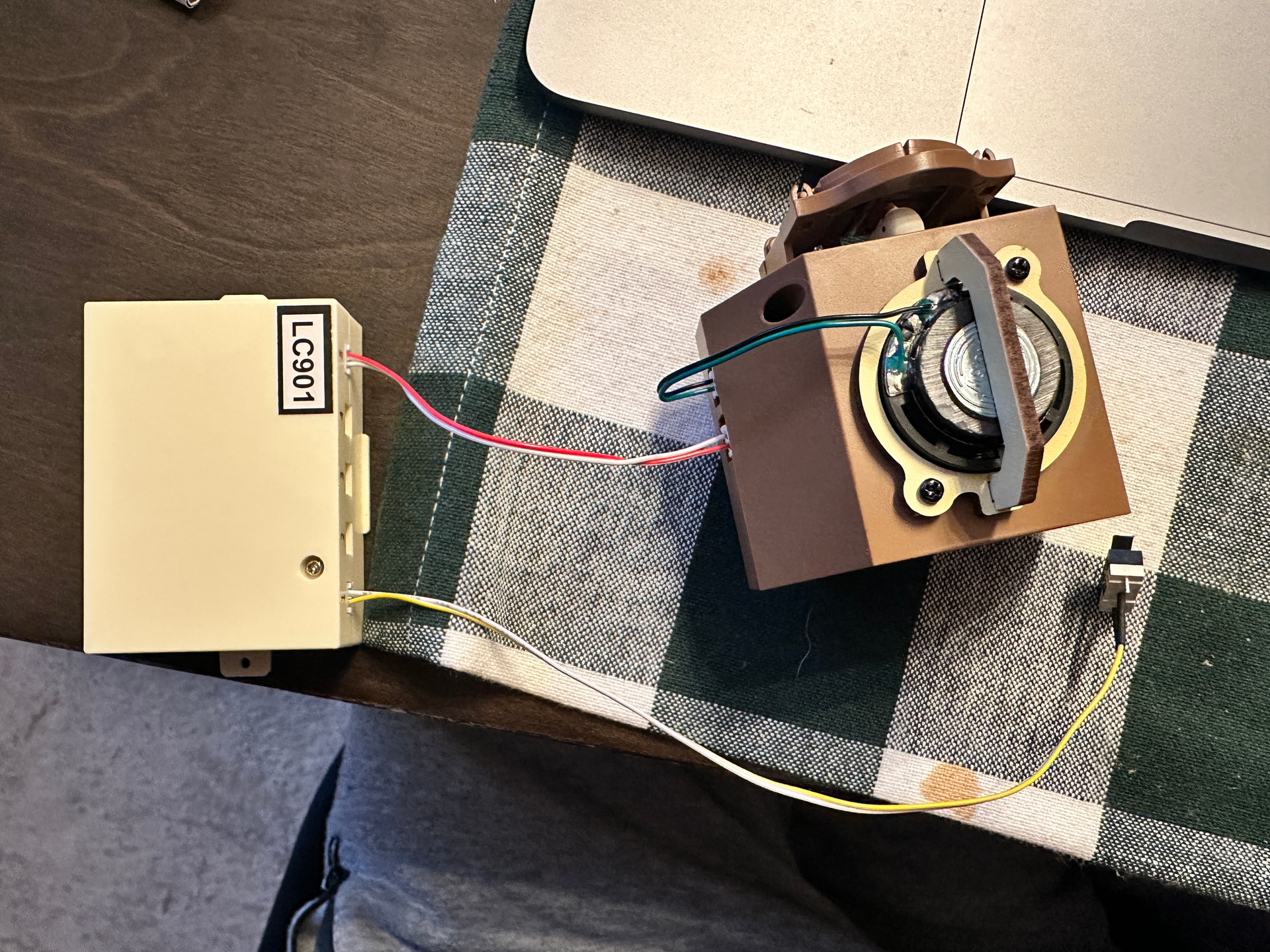
I noticed the red cable that connects the bird component to the battery pack is flipped. My red cable shown in the picture is on the right side, but in the manual, the illustration shows it on the left side. I can’t flip it back, could this be the cause for it not working?
That red and white cable does not appear to be pushed in all the way…and you will have to disconnect it to move ahead in the instructions. It’s a bit hard to to…and you have to be very careful not to damage the wires. Also, those connectors can only be connected in one way. Pay attention that the tiny protruding nub is being inserted in the proper direction.
I cant see inside of mine any more but I tried to look back on others. The cuckoo brown box to circuit looks right. I would tag customer service and see what they have to say.
It’s pushed in as far as it can, I had pushed the light cable into the battery component with similar pressure and the light works perfectly fine with the button trigger.
The cables are all connected in the correct orientation, the wrong way would not allow me to push it in.
@CustomerService can you check if the cable flipped is what’s causing the bird and sound to not work? I connected it in the correct orientation but the red cable is on the wrong side
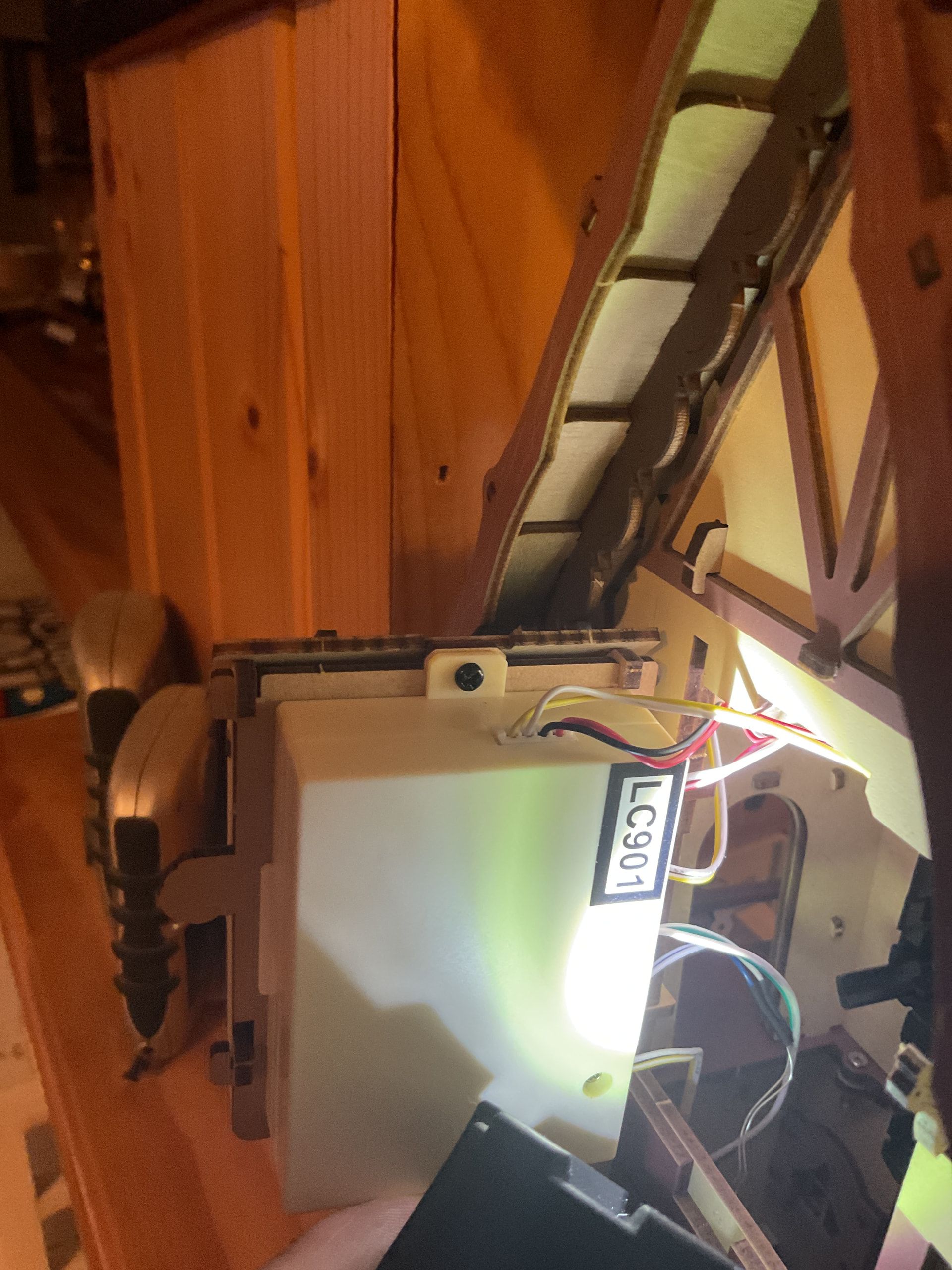
in the beige box, the side plugs, top one, my white was on top and red bottom. Did you click it in wrong (although that is hard to do). Does this make sense?
That makes sense. I’m pretty sure I clicked them in correctly. When i flip the ends of the cable, then the white is on top and red bottom on the battery box, like yours. But still no success. I’m thinking the component controlling the bird and the sound might have come broken. Thank you for your response
Sorry I could not be more help. As I suggested tag customer service. Sometimes they want a video but I will say they are pretty helpful. Best of luck to you! and stay on Community. Lots of great things here.
I wanted to ask if you’ve connected the Type-C power source. After connecting, you pressed the switch (yellow wire) but it still didn’t work? Please check carefully whether it’s a light switch or a cuckoo switch. They look quite similar, so there might have been a mix-up.
Welcome to the group! I haven’t built this one yet (doing so pretty soon!), so I really hope you get this solver. The only thing that is bugging me in your first photo is that the white-red wire connection (the white head with them) doesn’t look 100% pushed all the way in the correspondent “plug” in the brown part? But that may just be a matter of perspective.
Hello there. Welcome to the community. I’m sorry that I can’t help you since I didn’t build it yet. I hope someone from the community can help you or the @CustomerService
Hey everyone, I solved my issue! A little embarrassing, it turns out the batteries were no good, which is strange because I took them from an unused stash. I swapped with a different set of batteries, and everything works as intended!


 Welcome to the community. I’m sorry that I can’t help you since I didn’t build it yet. I hope someone from the community can help you or the