Hello, I’m also having a power issue during my first test of the dream gift factory, I’m getting no power to anything. We’ve tried different USB cables and power sources, we’ve barely clicked the spring and pushed hard, and we’ve checked every connection to the motherboard and can’t seem to find any issues. I might need a replacement board based on reading other messages with the same issue. @CustomerService
Welcome to the community @MacAir747 You have to tap the spring very briefly; if you do this for too long, it won’t respond. If it still doesn’t work, I’m afraid it’s broken. I expect Robotime to respond on Monday, since it’s the weekend. You can also request a replacement part through the website.
Can you share photos of what you have? Can you share a photo or two of what power source ratings you have tried? Can you share a close up view of the circuits board?
Welcome to the community. Sounds like a problem with the electronics seeing you checked all others. Try tapping the spring very briefly so see if it works.
Thanks everyone for your comments! I took a few pictures I’ll attach here. Also I did try the idea to just barely press the spring and it didn’t work. My wife disconnected everything and reconnected again just to be sure, still nothing.
We truly care about your experience . You can submit your replacement request here Part Replacement | Robotime
, or contact our after-sales team at service@robotime.com
. We’ll make sure to assist you promptly and get the right parts to you.
 You have to tap the spring very briefly; if you do this for too long, it won’t respond. If it still doesn’t work, I’m afraid it’s broken. I expect Robotime to respond on Monday, since it’s the weekend. You can also request a replacement part through the website.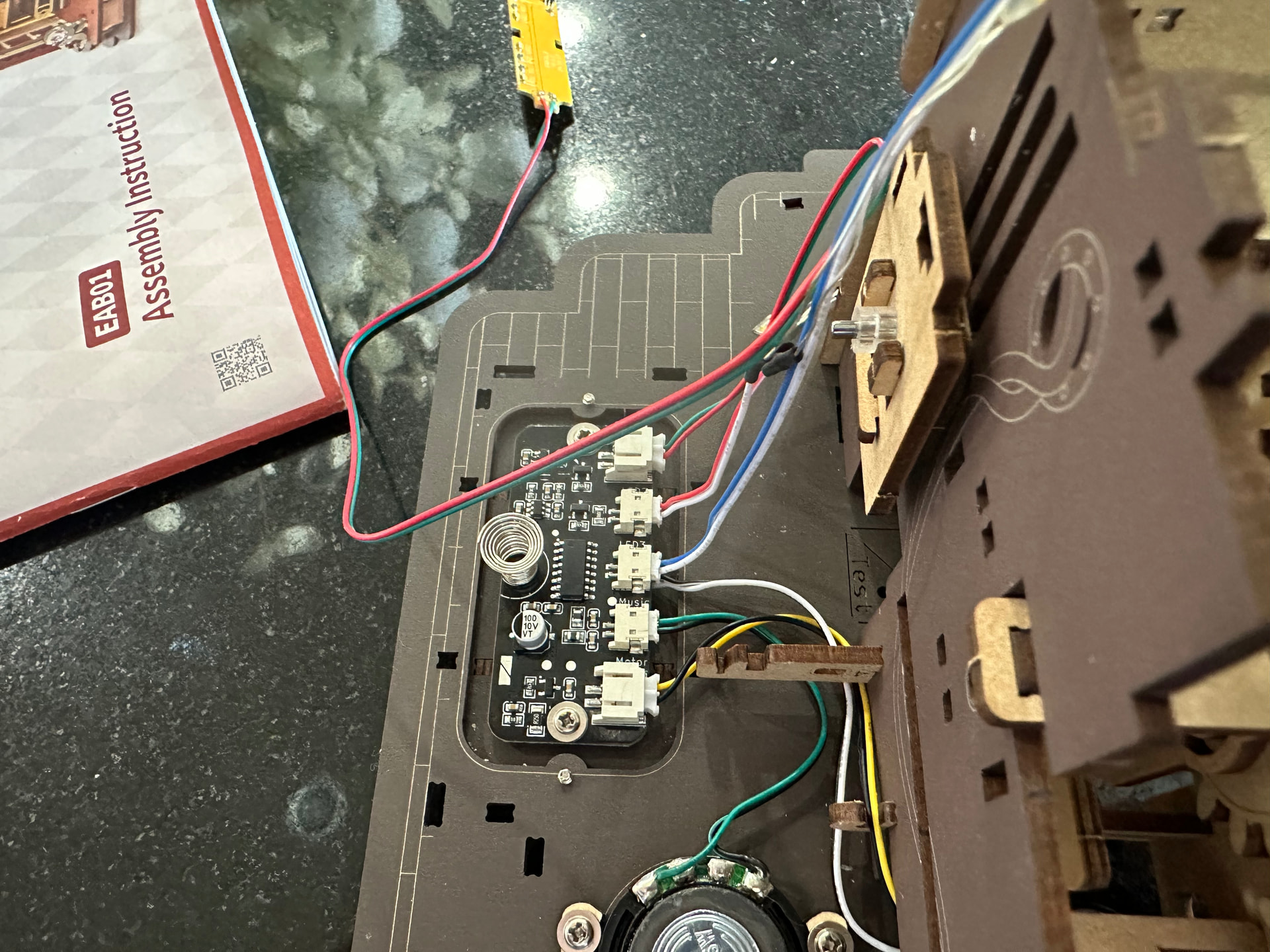


 . You can submit your replacement request here
