So, I’m working on my Christmas tree and during the first round of testing as the manual said I should do I didn’t get any sound, lights or rotation at all. I figured it was just me being stupid and forgetting something so I decided to start the build in hopes of effect later on when everything was connected accordingly to the manual.
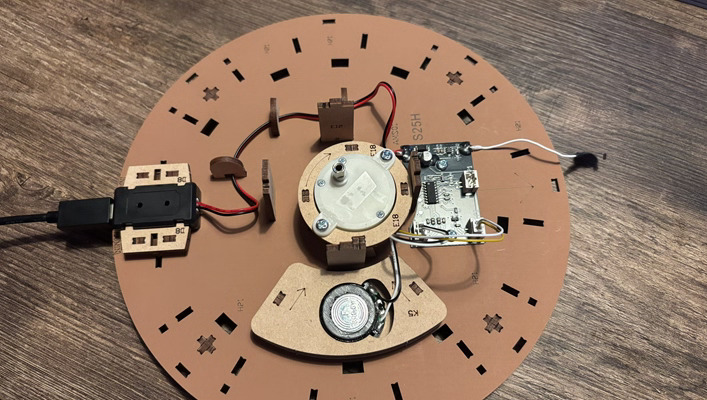
Sadly, I’m on step 9 (page 12 of the manual) right now and I have to test it all again after placing each part correctly and still no effects.
I have tried different USB-C cables, different USB-C adapters, connecting it to a laptop with USB-C, connecting it in a wall socket, and tried different wall sockets but none of them makes the effects go WAUW!
So my question to you’all.. Is there something else I can do to get it to work or will my Christmas tree be nicely decorated with non functional lights?
I have found out that many people either press the button too long or they’re not pressing it hard enough or they’re pressing it too hard. It only needs a soft touch to get it going
I have not started mine yet, so I am no help, but I would start out with what @Nita_Davis is suggesting. If that does not work, post in this same space and include Robotime and customerservice with an “@” starting those names. Your text might even prompt for those two.
How cool that we’re building this together right now! I had the same problem at the beginning. The sensor is very sensitive, and you do have to press it very gently and briefly. Have a lot of fun with the rest of the build
Hi there! If your device shows absolutely no response, we think the issue might be a malfunction of the electronic components. To fix this for you, we’d like to send a brand-new set of replacement electronic parts free of charge.
You can submit your replacement request here Part Replacement | Robotime
, or contact our after-sales team at service@robotime.com
. We’ll make sure to assist you promptly and get the right parts to you.


 was for getting it fixed!

