For those who’ve seen my posts in the past, I’ve been letting the wheel choose my next project. It adds a little surprise and keeps my miniature journey fun and spontaneous.
I also made a promise to myself at the start of the year that every build would include something personal. A small detail. A tiny signature. Something that makes it uniquely mine.
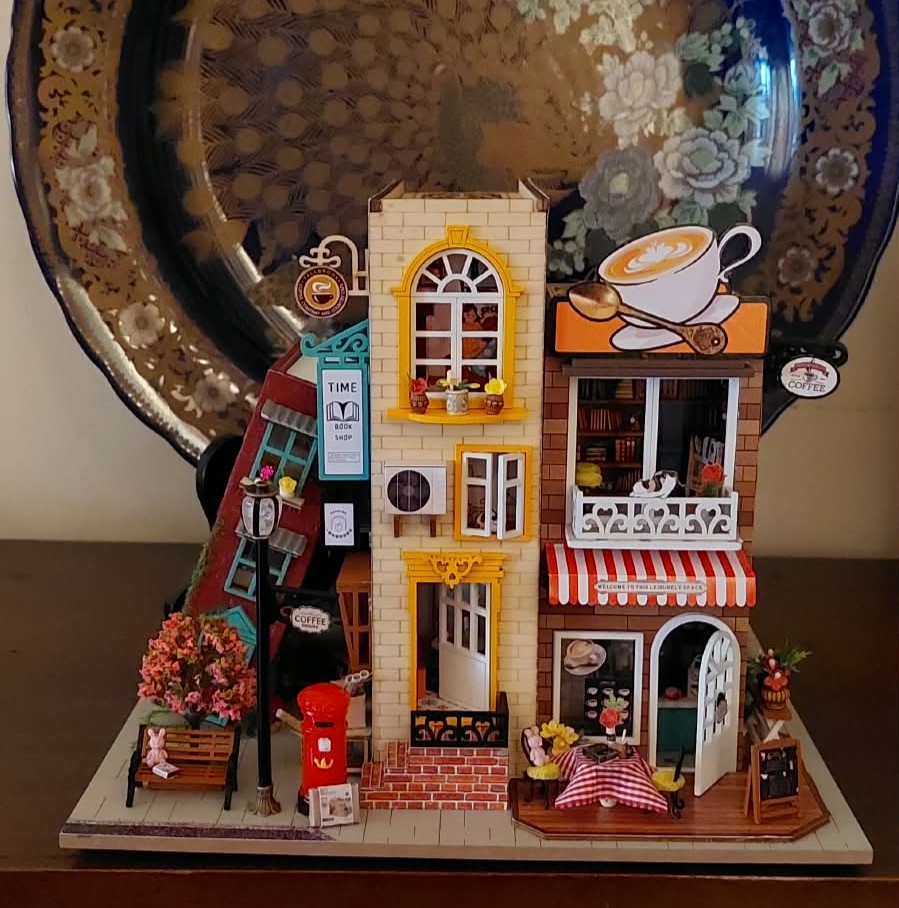
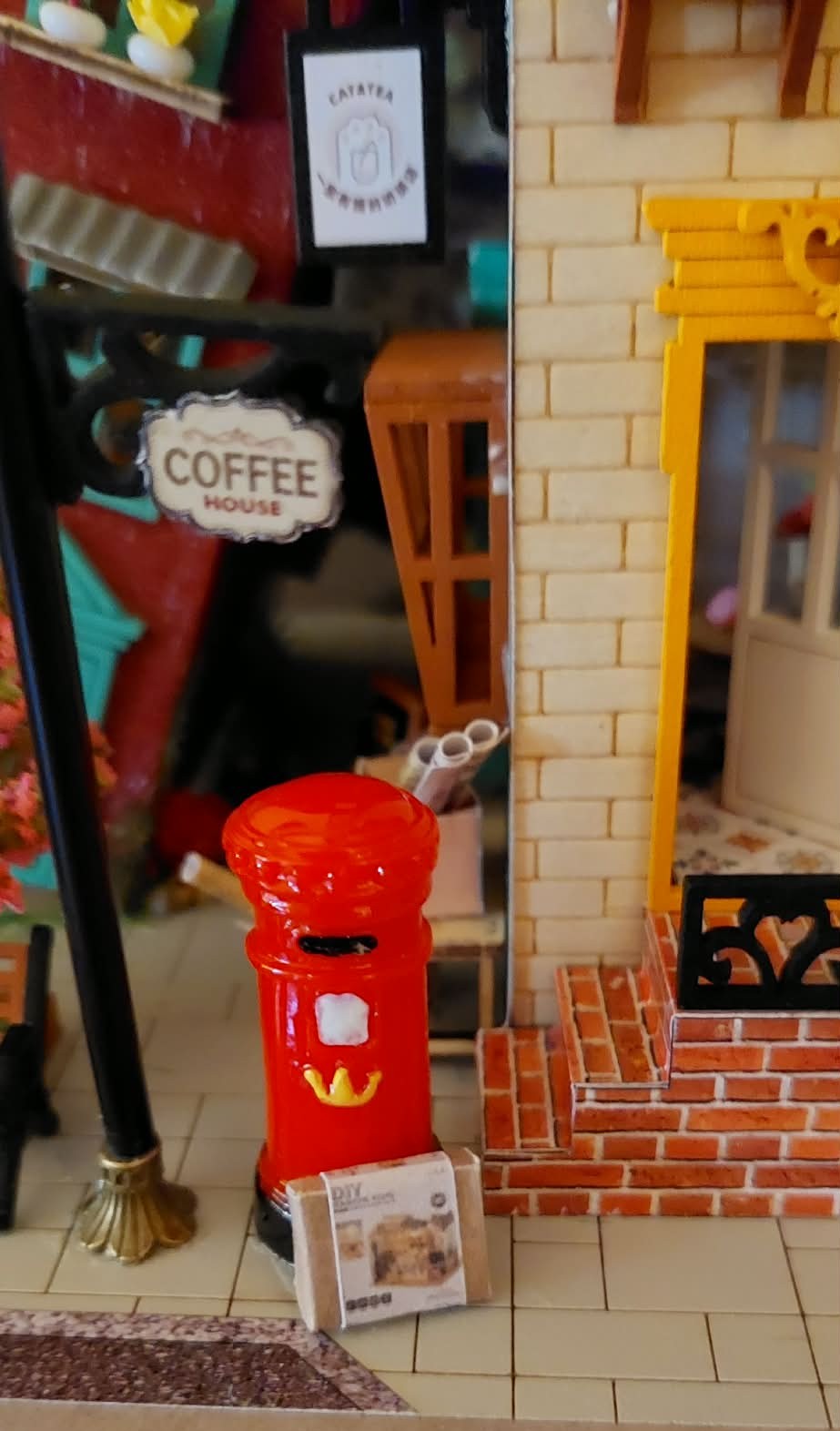
I added a miniature box from a Rolife kit I previously completed by the mailbox. Just a small addition — it’s not perfect (I still don’t know how to scale down correctly) but it felt symbolic. A reminder of the projects that truly deepened my love for miniatures and brought so many peaceful, creative evenings.
In a way, this could be another little tradition for me now — carrying a piece of Rolife with me, even when the wheel takes me somewhere unexpected. So, no matter what the wheel picks next, there will always be a little Rolife touch in my miniature world.
Btw, please feel free to share ideas on how to scale down properly.
Awww the tiny Rolife kit is just the cutest! I think it turned out just fine in your photo. Do you think it’s blurry? I could probably give you a hand if you’d like. I don’t use Photoshop just old school Paint so it can be easily done.
I’ve seen this kit online so many times and have always been tempted. How did you find it?
Thanks for your offer. I was too excited to add the miniature rolife box so i didn’t bother editing the photo. I just scanned all sides using my phone. I should have used the desktop scanner.
Got this kit from Temu. It was on sale. I just searched for miniature kits.
You did a great job. I made a other one form this brand and i found that the wood for the walls and ceilings where very weak and break easy. Hope yours was better
Some were a bit warped, so I had a hard time aligning the books/buildings. But it turned out okay, I think. I just have to be extra careful when I move it around.
This is adorable. I wish I had advice on downscaling, but I have NO idea how to do that stuff. I’ve seen that a lot of people use an app called Canva. Maybe @Wenbare might be able to help.
You can do it in Word. You double click on the image and enter the dimensions that you want and it will do it for you.
I’ve just printed off posters and things today.
Sorry, Nita. Word is part of Microsoft Office and is a word processing program that allows a person to add pictures to their documents. So, I copy and paste my images into a blank document and then resize it to what I want.
Sounds cool…but I have zero computer experience. I just take a pic or screenshot with my phone and print them out as photos. I’ve become pretty good at guessing how far away from my laptop screen I should take a photo if I need it smaller…LOL!
 It adds a little surprise and keeps my miniature journey fun and spontaneous.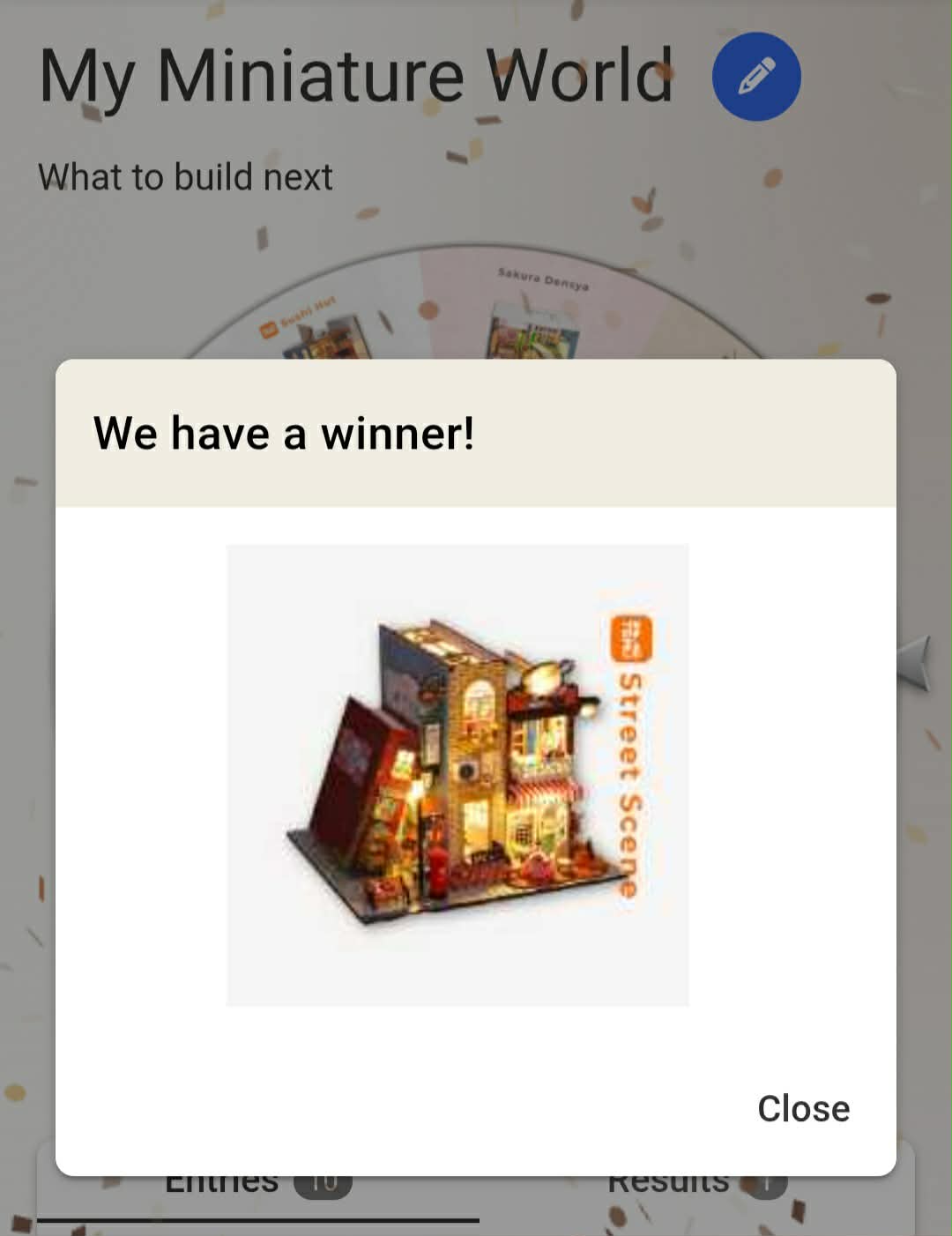
 Just a small addition — it’s not perfect (I still don’t know how to scale down correctly) but it felt symbolic. A reminder of the projects that truly deepened my love for miniatures and brought so many peaceful, creative evenings.


 I think it turned out just fine in your photo.

 Word is part of Microsoft Office and is a word processing program that allows a person to add pictures to their documents. So, I copy and paste my images into a blank document and then resize it to what I want.