I do want to follow specific users, not mute them. And all of their topics, not one I have to find myself
1 Like
I think the overviews are rather ‘messy’ so that’s why I would like to follow persons.
My mistake. You don’t even have to click on the leaderboard, although any (and all participating members) are there. Simply click on their picture (or in your case , the “H”)…and it will take you to their profile , then click portfolio. It shows everything they have ever posted.
2 Likes
@Nita_Davis Nita_Davisi asked google lol ! Xxx
I encourage everyone to dig. There are some choices that are nice. and some that mean nothing.
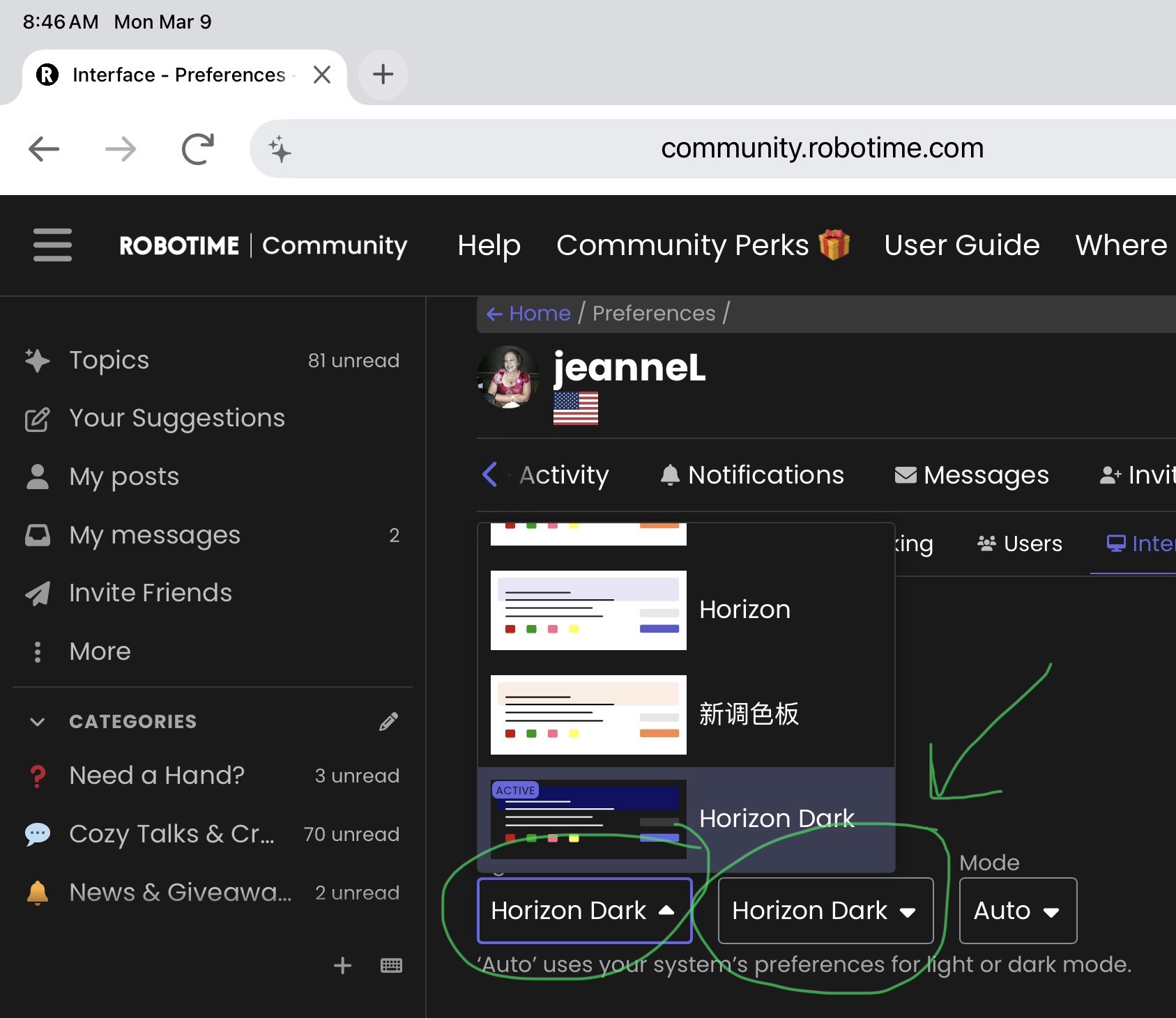
I was able to change my theme colors to more purples and blues!
1 Like
So I have dug through and unless Robo knows something, I could not find. But I did find I could block people if needed. and I could change my color scheme. Mine is now purples and blues
1 Like
I usually just click on the person’s name and check their portfolio.
1 Like
I did mine too, thanks to your remark. I am now on dark modus and in Dutch (my native language).
1 Like
Yes, I agree with you. I don’t find the post messy and just click the ‘new’ if I want to see a new post. I love to read each random posts here. 
1 Like
Agreed. Most here are logging in daily anyways…so it is very easy to see if your faves show up or post anything new…just by checking new posts each day.
2 Likes
I mean there’s no follow in the settings, only mute. I just said what’s on the settings, not requiring to mute someone. You can click the ‘new’ if you want to see a new post here. There’s a category in the left side if you’re viewing using the mobile phone.
I’ve tried to change the background to dark theme but when I change, it’s still white.  So I’ve just returned it in default settings.
@Helga Hi Helga, thanks for bringing this up.
Currently we don’t have this function for our community yet, but we are looking for ways to make it work in the future at the same time!
I hope you enjoy everything here 
6 Likes
Yes, I do, but it’s still rather complicated to find my way around. But I’ll get there 
Did you scroll to bottom and select Save Changes? I almost missed that first time