Hey can you screenshot where that is at? It automatically goes to grid for me. If I delete grid, then it goes to picture and I can select how big. I never see anything as a choice
2 Likes
The details are amazing. I really want to visit Asia.
1 Like
Same for me  The carousel looks very clean to read, and even if you have a lot of photos, you can still make a post that is not long to read!
1 Like
Hoping Hayley can show us.
1 Like
Sorry for the late reply. When you upload the photos, it should give you the option. Were you able to find it?
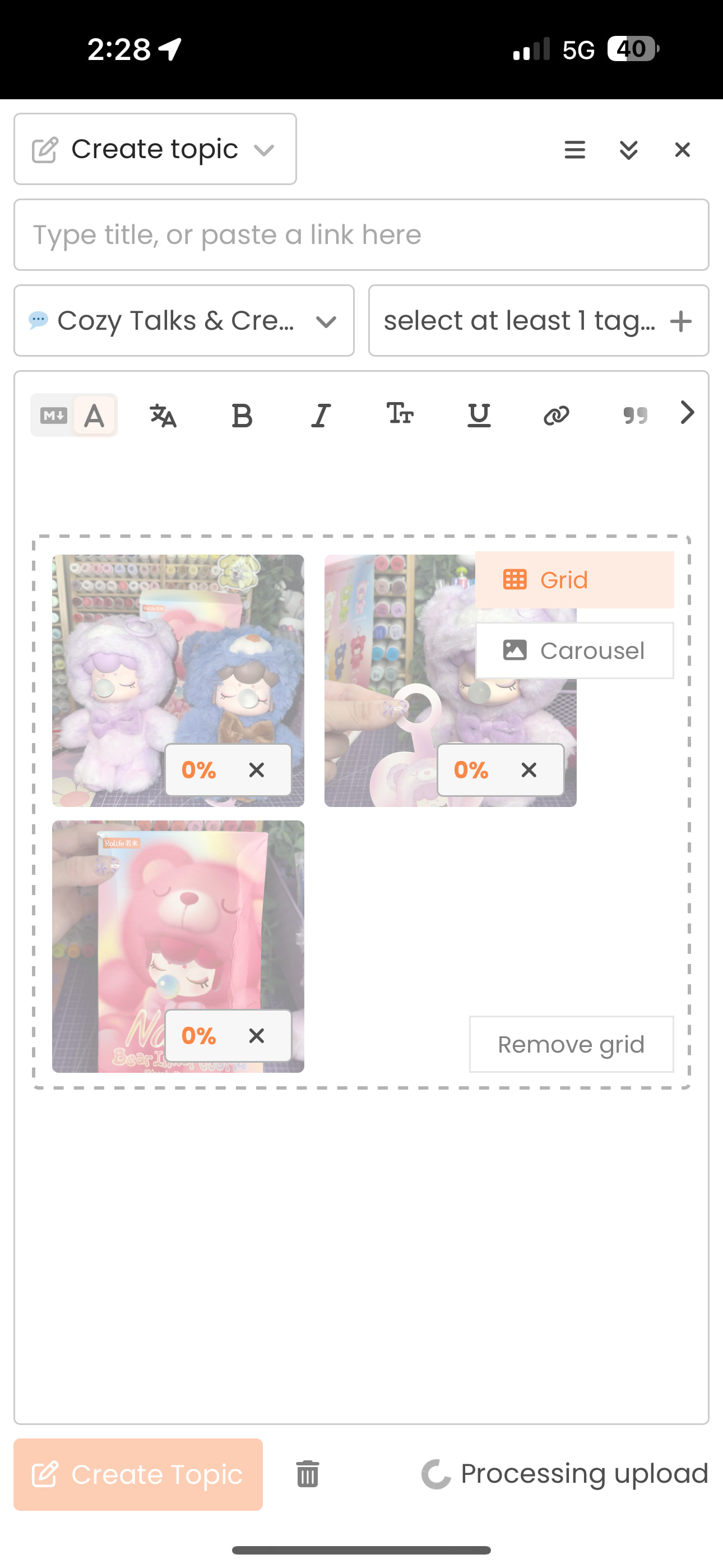
1 Like
Thank you so much! So do I!!
Sorry for the late reply! I have been so busy and am just seeing this now. Let me know if you need anymore help and I can always call you or figure something out lol. We will figure this out!!
Using web and nope that doesnt show. Maybe app will. I will check later. Thanks!!!
1 Like
You’re most welcome!! I use the discord app so let me know how you make out 
1 Like
Hmmm it’s not working for me
I have only grid like this
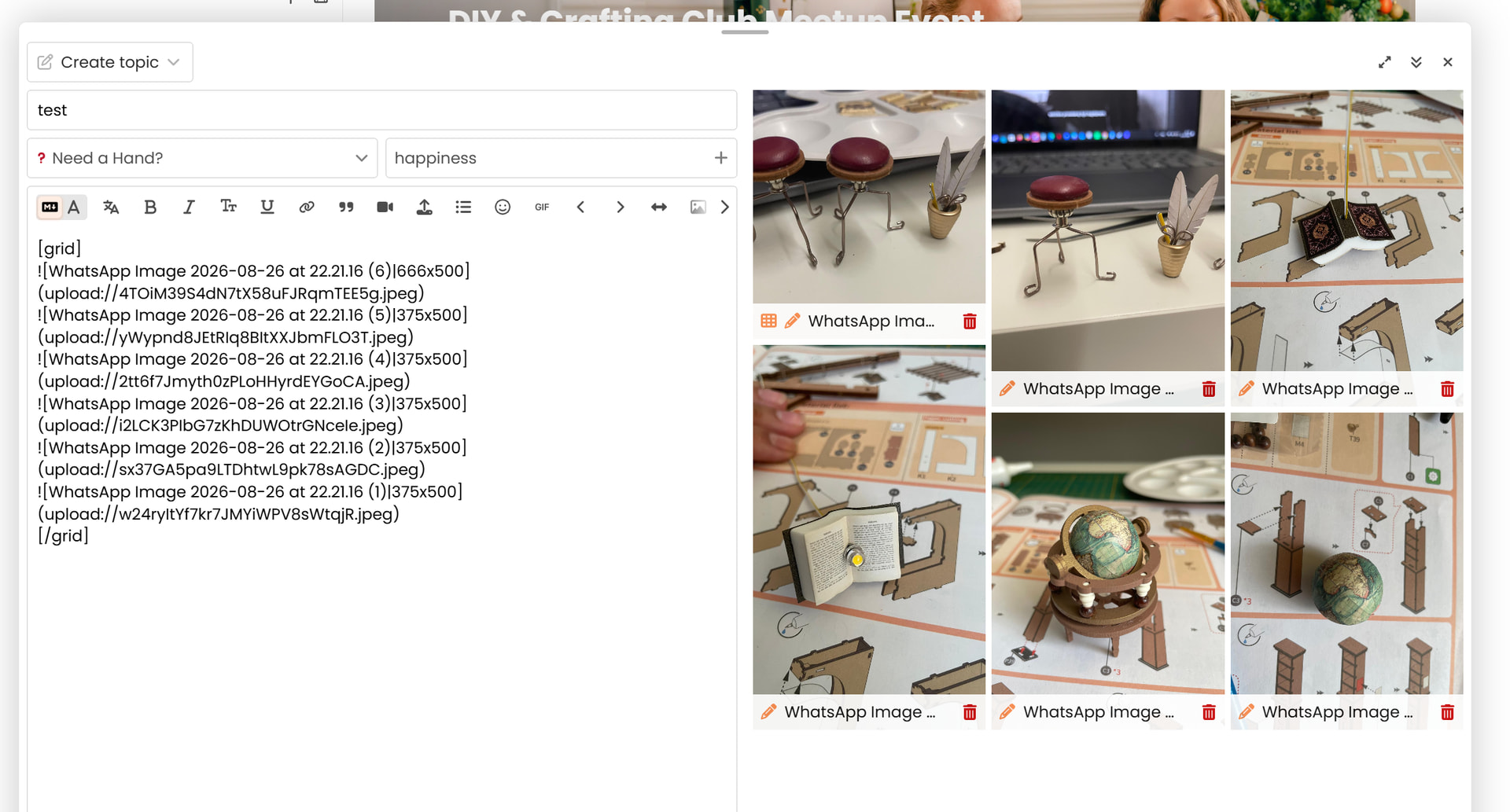
And same on the phone 
Do you use a iPhone or MacBook’s? Maybe it’s because of the operational system?
EDIT: @JDisaduck BIG THANK YOU TO MY DEAR for showing me a way to work this out <3 I’m thrilled to learn it.  And yeah it’s working!!
3 Likes
Yay I’m so glad to hear you figured it out!! What was the issue or what did you have to change? I use my iPhone and MacBook also!
Ah, so maybe that’s why I use Windows and Android systems. Now I just need to write down the manual commands, or the carousel, and it’s working 
I’m so glad it’s working for you!! It makes posting photos so much easier let me know if you need anything else!
1 Like
What is really funny is that it suddenly showed up for me last night! Will be interesting if when I do more today, if it shows again.
1 Like