Hi all
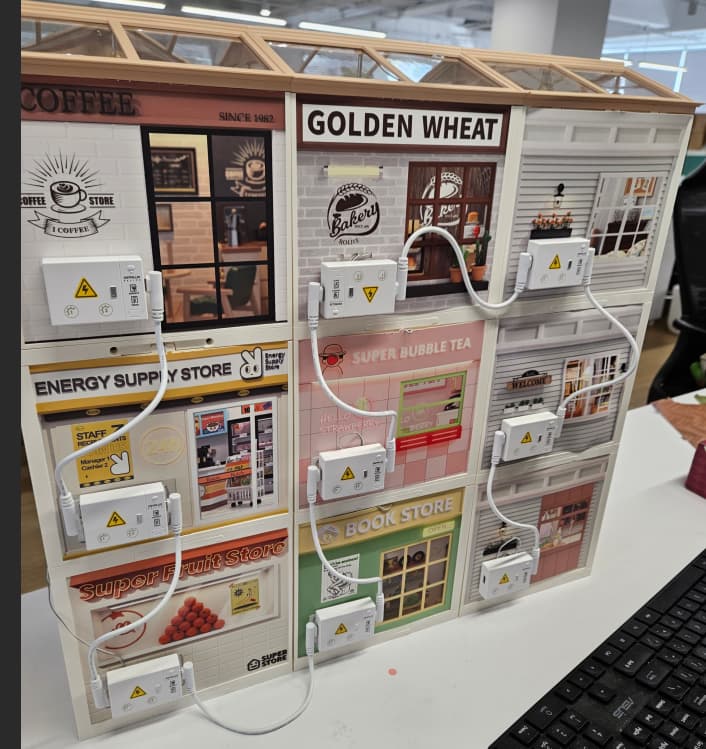
I want to attach my 4 super creator kits into one big square (2 kits above, 2 below) and want some ideas how to join the side walls. How do you link your super creator kit walls?
Coz each kit has a design card and if I just use the design cards one kit will have an unmatched wall.
How do you attach your kits and make the walls all pretty?
Thank you!!
3 Likes
Hello, we have attached pictures for reference. If you have any questions, please feel free to contact us via email(service@robotime.com).
4 Likes
Hi thank you for replying. I’m not referring to the back part. I’m talking about the walls. The easy way is to put the transparent plastic on the wall and link the next room to it but the walls also have their own design cards. So I wanna see how others link their sidewalls together.
Thank you for replying though!!!
2 Likes
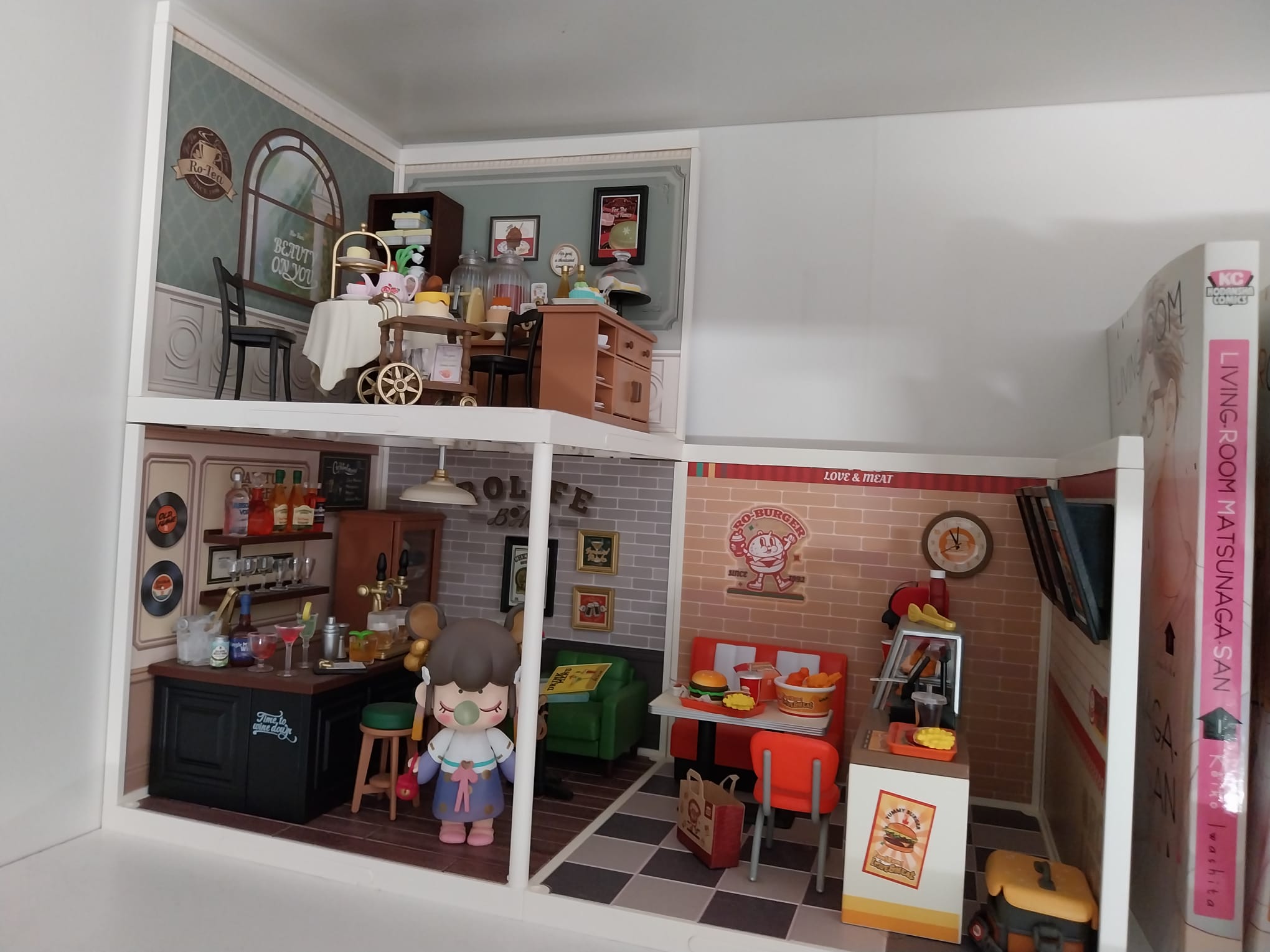
Hello @Clarice629. I only have 3 kits so far, but I think I understand what you mean because I’ve arranged mine in a square. To connect them, I flipped them around so that the walls face outward instead of inward. There are open spaces since I haven’t added any transparent plastic in between. And because I keep them inside a shelf, I haven’t put a roof on either — though adding transparent walls on the outside and a roof on the two upper kits could be a future project. Hope this helps! 
2 Likes
Ahhh like those houses where the rooms just change functions without a wall. Got it!
2 Likes
I’m glad I could help you!!
1 Like
Do these kits have a usb powerbank instead of batteries
I need to use a power bank for my super creator kits.
1 Like
I have not done any super creator series, but if it were up to me, I would make a thin cardboard wall with maybe just an arch opening in between the rooms. You could paint each side whatever color would blend well for each room.
1 Like