Oh, I’m a bit concerned about this. Could there be some kind of error?
I was able to fix it with Jill’s help.
3 Likes
Good to hear that everything is ok. 
You are welcome @Nita_Davis @DeeLiza 
2 Likes
We’ve been judging entries these past couple of days, and I paid special attention to yours among them
3 Likes
Thank you so much  @Jill_Francisco
 I just did this to submit my entry, just a few hours were left I’m so glad I could get it in time.
1 Like
Thank you so much for posting this @Nita_Davis I’m didn’t even realize that my entry wasn’t done properly, only 8 hours were left before closing. I managed to get it done thanks to @Jill_Francisco whew my heart is racing 
1 Like
Best of luck everyone @300 @Nita_Davis @DeeLiza
2 Likes
@Nita_Davis I tried to copy and save it but i had no clue i managed to send it to craftime it though it drove me crackers yesterday …
@300 how did you manage that hun i tried with no success but I did add all the right tags … x
1 Like
I had a reply on craftime they were very sorry and its gone to the relevant team and they are adding it to the correct section for me …
I just opened my original customization post and clicked edit, then clicked this icon.
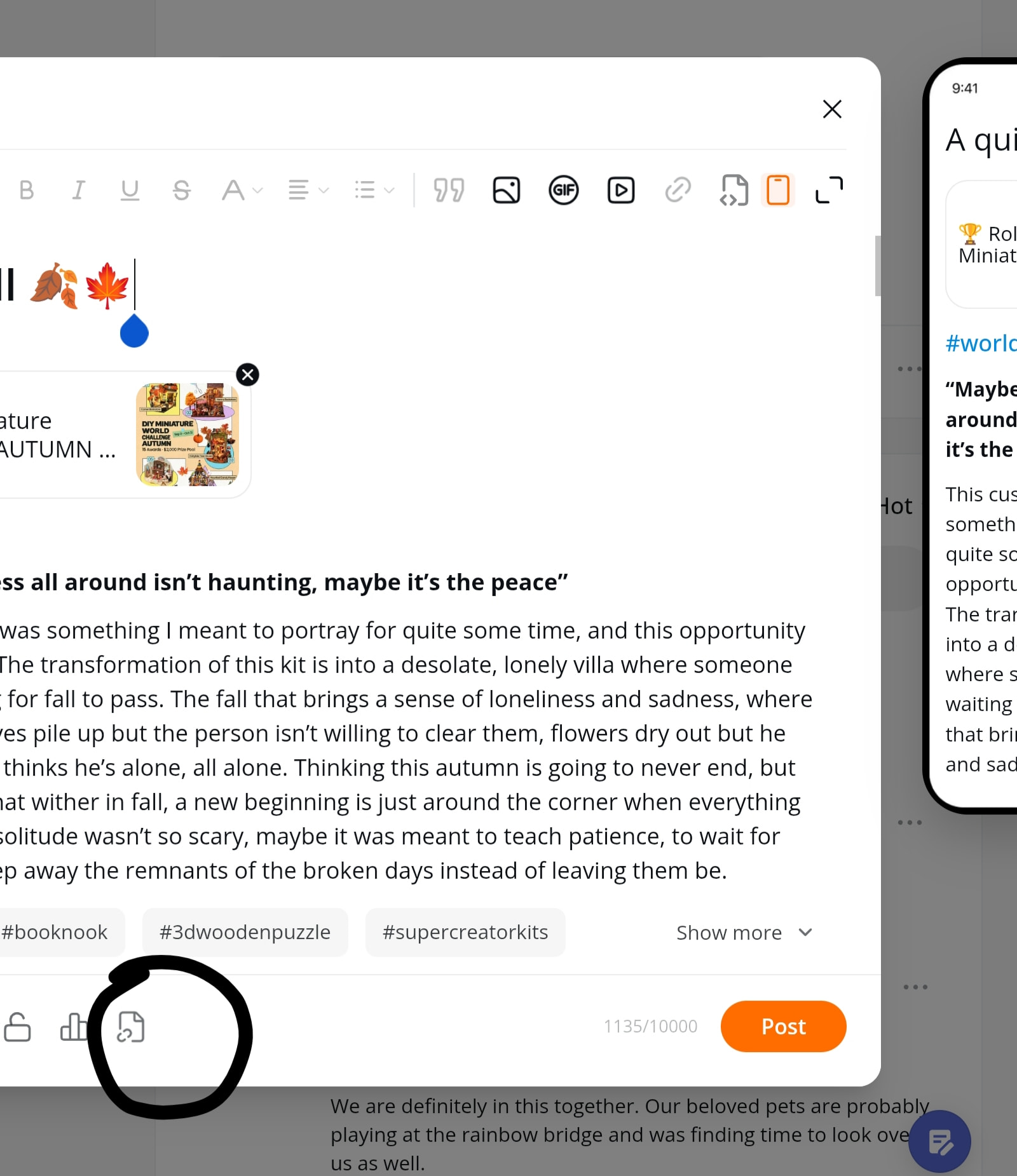
You will see an option on the side called online activities, just select the autumn customization challenge post by craftime account and save edit , your original post will show in the submission after you refresh that page. Hopefully this helps you get the submission entered.
2 Likes
Thanks for that @Jill_Francisco . That is really helpful. I didn’t know what it was.
2 Likes
You are welcome @Tricia12
1 Like
Thanks. I have moved it into the Craftime world challenge section.
@300 thank you so much i cant see that icon on my phone I will look on my laptop for future reference … but craftime have moved it to the correct section hun I really appreciate your help thank you 
1 Like
Yeah like I had to repost on craftime I went to the world challenge event page and clicked the submit here button. I know I did it right idk what’s going on